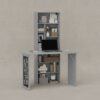
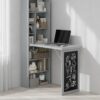
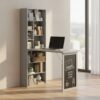
HOMCOM Wall Mounted Computer Desk
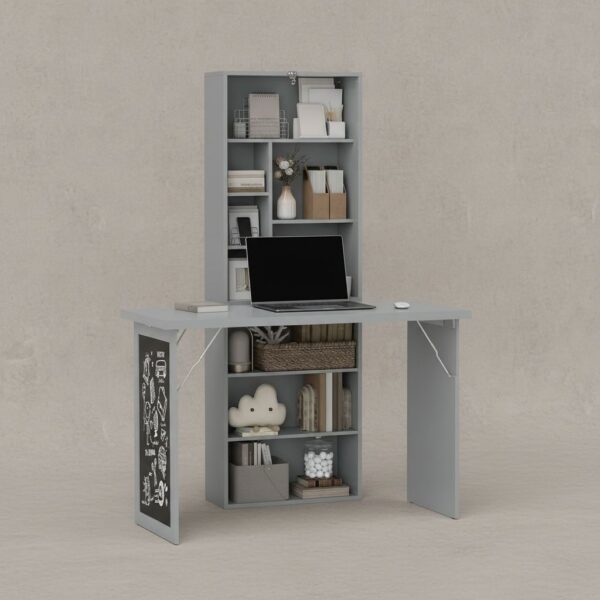
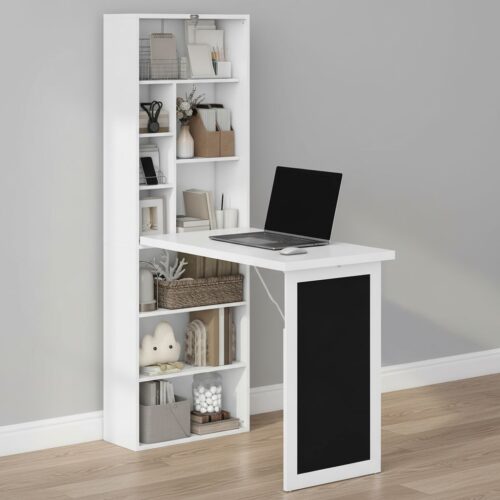
HOMCOM Wall Mounted Computer Desk is designed for rooms where a traditional desk footprint feels too heavy—think compact flats, multipurpose bedrooms, or a hallway niche that needs to double as a work zone. By fixing to the wall and folding away when not in use, it creates a clearer walkway and a calmer visual line, which matters in small spaces where clutter quickly competes with comfort and focus.
Key characteristics of HOMCOM Wall Mounted Computer Desk
- Wall-mounted, fold-down work surface to free up floor area
- Integrated open compartments help keep stationery and devices organised
- Adjustable shelf supports different storage heights for daily essentials
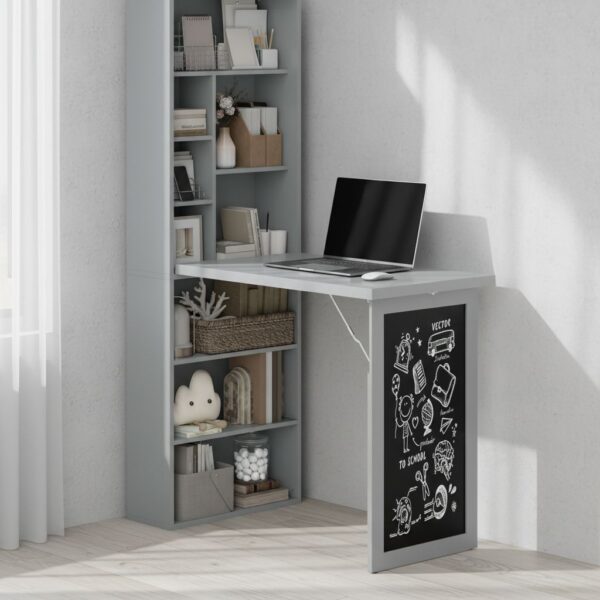
- Built-in blackboard panel for quick notes and reminders
- Grey finish suited to modern, neutral home office setups
Overview Of HOMCOM Wall Mounted Computer Desk
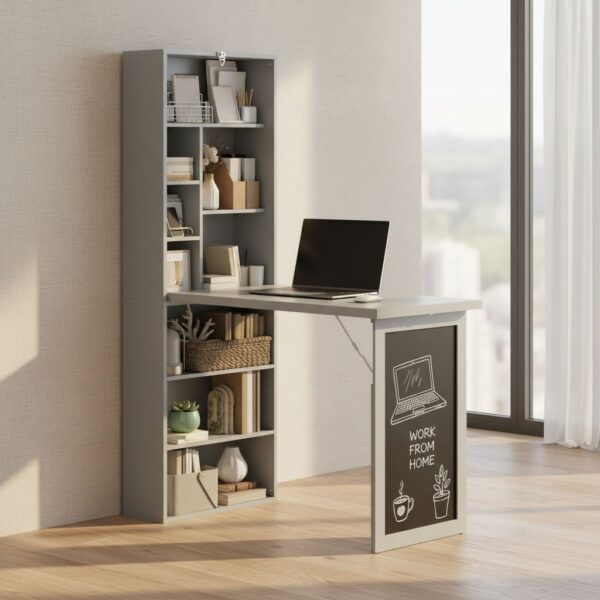
As a Wall Mounted Computer Desk by HOMCOM, this piece combines three practical elements in one vertical unit: a fold-out writing surface, open storage, and a blackboard area for quick planning. The advantage of this layout is ergonomic in a space-planning sense—storage lives above and around the work zone, so the most-used items can stay within easy reach without spreading across the room.
Because it mounts to the wall, the desk surface height is determined during installation. That detail is important: positioning it to match the user’s seated elbow height helps reduce shoulder lift and wrist extension during typing or writing. In a small room, getting that height right can matter more than having a larger tabletop, because posture tends to degrade faster when the setup is cramped.
Benefits Of HOMCOM Desk
The main benefit of the HOMCOM Desk is the way it supports a “set up, work, and reset” rhythm. Folding designs are not only about saving space; they also help separate work time from downtime, especially in bedrooms or living areas. Closing the work surface removes visual cues that keep the brain in task mode, which can make a noticeable difference in shared spaces.
With a HOMCOM Wall Mounted Desk arrangement, storage becomes part of the workflow. Open compartments make it easier to keep frequently used items visible and accessible—useful for notebooks, chargers, a small router, or stationery—so the working surface stays clear. A clearer surface reduces the tendency to hunch forward around clutter and supports better forearm placement while writing.
The blackboard panel adds a simple planning tool that sits at eye level. From an ergonomics perspective, this can reduce the number of times notes are taken on paper and then re-checked on the desk surface. Keeping reminders upright and within the normal gaze range can limit repeated neck flexion—small movements that add up during a long study session.
Materials And Construction Of HOMCOM Desk
In practical daily use, the structure of a wall-mounted unit matters as much as the surface area. A HOMCOM Computer Desk Wall Mounted needs a stable, correctly fixed base to feel secure when opening and closing the worktop. The key is that the wall becomes part of the load path: the desk transfers downward and outward forces into the mounting points instead of into floor legs.
Open-compartment storage is most effective when it is treated as “zoned” space. Keeping heavier items lower and lighter items higher helps maintain a balanced feel when the desk is in use. It also keeps the most frequently reached items closer to the work plane, reducing repeated overhead reaching that can fatigue the shoulders in tight setups.
The adjustable shelf is best used to match the height of what is stored rather than forcing tall items into short bays. When compartments are appropriately sized, items slide in and out without snagging, and the user is less likely to twist at the torso to retrieve things. That reduces awkward reach angles—especially important when the desk is placed in a narrow area where chair movement is limited.
How To Use This Desk
Start by choosing a location that supports both posture and circulation space. For a Wall Mounted Computer Desk, allow enough room for a chair to slide back without hitting a bed or radiator. If the desk will be used with a laptop, consider leaving space for a separate keyboard to keep wrists neutral; laptop-only setups often encourage a rounded upper back and a forward head position.
During installation, the most practical starting point is to set the working surface height so that, when seated, elbows can rest near a 90-degree angle with shoulders relaxed. If the desk is primarily for writing, a slightly higher surface can feel more comfortable; for keyboard use, a slightly lower surface may reduce wrist extension. Small height differences can have a big impact on comfort over time.
Once mounted, organise the compartments by frequency of use. Keep daily items—pens, notebook, charging cable—in the easiest-to-reach bays. Place less-used items higher or further to the side. This reduces repeated reaching across the work surface, which can pull the shoulder forward and narrow the upper back posture during longer sessions.
When folding the surface away, remove bulky items first so the closing motion stays smooth and controlled. The blackboard area works well for a short list of priorities or a timetable; keeping it concise helps it stay functional rather than becoming another clutter point.
Technical Specifications Of HOMCOM Wall Mounted Computer Desk
| Feature |
Details |
| Brand |
HOMCOM |
| Product Category |
Office |
| Format |
Desk |
For many homes, the most important “specification” is how the unit changes usable space. Because it is wall-mounted and foldable, the desk can function as a dedicated work point without permanently occupying the room. In ergonomic terms, that supports better routine consistency: a stable, repeatable setup tends to produce better posture than working from a sofa or bed, even if the desk itself is compact.
To keep the working experience comfortable, pair the desk with a chair height that allows feet to rest flat and thighs to stay roughly parallel to the floor. If the chair is too high relative to the work surface, shoulders rise; too low, and the user leans forward. The goal is a neutral spine with the screen at a height that does not force the head downward for extended periods.
Frequently Asked Questions About HOMCOM Wall Mounted Computer Desk
HOMCOM Wall Mounted Computer Desk is designed to provide a practical work surface without taking up floor space, which makes it relevant for compact rooms and multi-use areas. As a wall-mounted, fold-down style desk, it relies on correct installation and sensible loading to stay stable and comfortable in daily use. The built-in storage layout (including multiple open compartments and an adjustable shelf) is intended to keep essentials within reach while keeping the desktop clear.
How do you use HOMCOM Wall Mounted Computer Desk day to day without it feeling cramped?
For comfortable daily use, treat the desk as a compact workstation: keep only the items needed for the current task on the work surface and store the rest in the open compartments. Position a chair that supports an upright posture and adjust its height so forearms can rest comfortably while typing or writing. If using a laptop, consider raising the screen to reduce neck flexion and use an external keyboard if available. Close the fold-down surface when finished to regain walking space and reduce visual clutter.
Is Wall Mounted Computer Desk by HOMCOM difficult to install securely?
Installation difficulty mainly depends on wall type and getting the fixings right. A Wall Mounted Computer Desk by HOMCOM needs to be anchored into a structurally sound surface so the load transfers into the wall safely rather than relying on weak plaster alone. Accurate leveling is important so the fold-down surface sits properly and doesn’t swing or bind. Before drilling, confirm the intended height for seated use and check clearance for knees and chair movement. If the wall construction is uncertain, using appropriate wall anchors or professional fitting helps avoid movement over time.
What can the 9 open compartments on the HOMCOM Wall Mounted Desk realistically hold?
The open-compartment layout is best used for light-to-moderate office items that benefit from quick access. On the HOMCOM Wall Mounted Desk, dedicate separate sections to stationery, notebooks, charging cables, and small devices to prevent stacking that can fall forward. Heavier items are better placed lower and closer to the wall to reduce leverage. The adjustable shelf can be set to suit taller items like folders or storage boxes, but it is still advisable to avoid overloading any single compartment to keep the unit balanced and easy to use.
Does the blackboard area work for planning, and what should be used on it?
The blackboard panel is suited to short notes, reminders, and quick planning rather than detailed long-term archiving. For best results, use appropriate chalk or chalk markers intended for blackboard-style surfaces, and wipe gently to avoid leaving residue. Keeping a small cloth or eraser nearby helps maintain legibility and reduces smudging onto hands when moving between the board and the writing surface. If the desk is used in a shared space, a simple routine—write, photograph if needed, then erase—keeps the board functional and tidy.
How durable is HOMCOM Computer Desk Wall Mounted for regular work and study?
Durability depends on two practical factors: correct wall mounting and sensible day-to-day loading. A HOMCOM Computer Desk Wall Mounted is typically most reliable when used as intended for writing, laptop work, and studying, with heavier equipment kept to a minimum. Regularly check that mounting points remain tight and that the fold-down mechanism operates smoothly without wobble. Avoid leaning body weight on the outer edge of the desktop, as that increases leverage on the wall fixings. Using storage to distribute items, rather than piling them on the surface, also reduces stress on the structure.
How should this Wall Mounted Computer Desk be cleaned and maintained?
For routine care, wipe the desktop and shelving with a soft, slightly damp cloth, then dry to prevent moisture from sitting on the surface. Avoid abrasive pads or harsh cleaners that can dull finishes or leave scratches. Pay attention to hinge and contact points: keep them free of dust so the fold-down action stays smooth and doesn’t grind. Periodically inspect the wall fixings and tighten if needed, especially if the desk is opened and closed frequently. If marks appear, address them early rather than scrubbing aggressively, which can damage the surface over time.
Is the desk comfortable for longer sessions, and what setup changes help ergonomics?
Comfort for longer sessions is achievable, but it depends on set-up. Use a chair with back support and aim for a neutral posture: feet supported, hips and knees comfortably bent, and shoulders relaxed. Keep frequently used items within easy reach to reduce repetitive twisting, using the compartments for organization. If screen work is common, raise the display to eye level to reduce neck strain and keep the keyboard position so wrists stay straight. Taking brief movement breaks matters more with compact desks, because static posture can build fatigue faster in small work zones.
User Experience With HOMCOM Wall Mounted Computer Desk
The aggregated perception of HOMCOM Wall Mounted Computer Desk is that it is a practical solution for gaining a work surface when space is limited. Comments often agree that the wall-mounted, fold-down desk concept fits well in small flats, bedrooms, studies, or compact work-from-home corners, especially when the goal is to keep the room looking clear once the day is done. It is also frequently mentioned that the shelving and compartment layout helps keep study or office items in one place, with a discreet look that integrates easily into contemporary interiors.
Beyond that strong first impression, real-world experience depends heavily on installation and wall type. In DIY and furniture discussions, it is repeatedly noted that careful measuring and appropriate fixings are key for the desk to feel stable in everyday use. When installed correctly, the HOMCOM Desk is valued for its ability to keep things organised, for the sense of a defined “work zone,” and for how convenient it is to free up floor space by avoiding legs.
Main Strengths Noted For HOMCOM Wall Mounted Computer Desk
- Space saving is perceived as very noticeable: because it is anchored to the wall, it helps keep walkways and circulation areas clearer.
- Integrated organisation: the open compartments are used for books, notebooks, office supplies, and small accessories, reducing surrounding clutter.
- Flexible use concept: the ability to “open” the work area when needed and “close” it when finished is often highlighted, helping separate study and rest within the same room.
Perceived Advantages
- Light visual profile: as a Wall Mounted Computer Desk, it does not visually weigh down a room as much as a conventional desk, which is appreciated in spaces with limited light or bulky furniture.
- Useful surface for everyday tasks: users commonly describe it as suitable for laptop use, writing, reading, or homework, with a satisfying experience for low-to-medium demand use.
- Easy to create a fixed “station”: visible storage encourages keeping essentials close at hand, which many associate with better consistency for studying or working from home.
Usage Considerations
- Installation is sensitive to wall type and accuracy: it is often repeated that it is worth measuring height carefully, aligning correctly, and using fixings suited to the wall to avoid looseness or a feeling of instability.
- Capacity and ergonomics depend on the surroundings: in very narrow rooms, opening the desk and accessing compartments requires planning clear space in front; mounting height also strongly affects comfort for wrists, shoulders, and back.
Who Gets The Most Out Of HOMCOM Wall Mounted Computer Desk?
This HOMCOM Computer Desk Wall Mounted tends to suit people who prioritise order and space efficiency: students who need a consistent place for materials, people working from home with a laptop and light accessories, or anyone wanting a writing spot without taking up floor area. It is also commonly chosen by those living in small homes or shared rooms who want the work area to “disappear” visually so it does not take over the rest space.
From an ergonomics perspective, it is especially recommended for those willing to spend a few minutes planning the installation height based on their chair and typical posture. When set up well, the HOMCOM Wall Mounted Desk is perceived as comfortable for moderate sessions. If more intensive use is planned with larger equipment or bulky peripherals, users often suggest checking available space and workstation layout to avoid forced postures.
A recurring point is that, when installed properly, it creates a tidy work zone without “taking over” the room.